KLWin APK Download


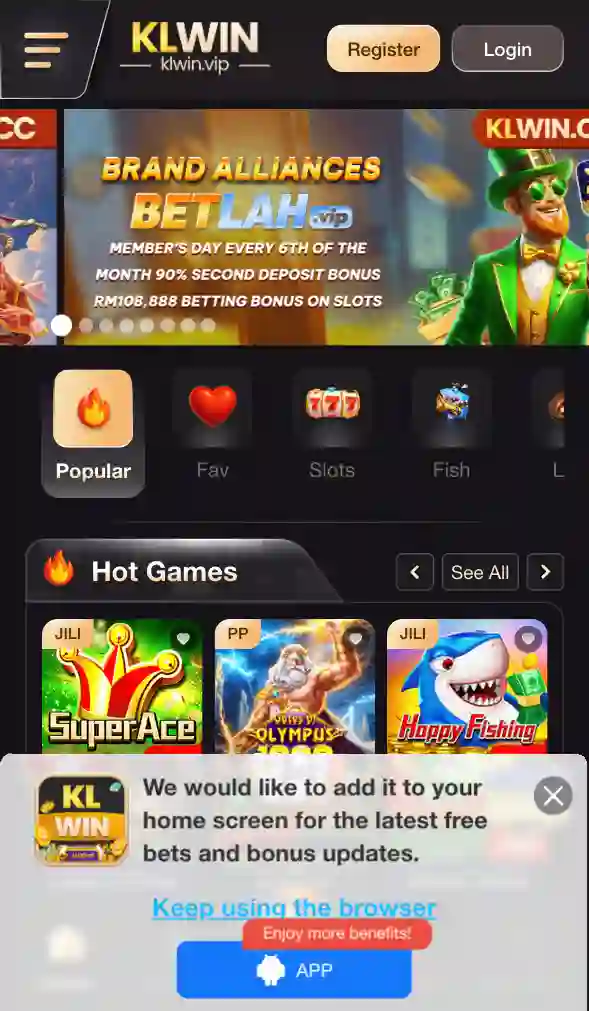
KLWin APK download provides Android users with an installation option for KLWin Casino Malaysia. A browser shortcut is available for Android users who prefer not to install an app. On iPhone, the website opens in Safari and can be added to the Home Screen. All three routes use the registered KLWin account, with balances displayed in RM. The mobile interface includes Slots, Live Casino, Fish, Poker, payment functions and the Reward Center.
The KLWin APK is an Android installation file available from the official website. Once installed, the application can be launched from the phone’s app screen without opening the site in a browser first.
To begin a KLWin download, open the KLWin website on an Android phone and choose its app-download option. The installation file normally appears in the Downloads folder or browser download history. Its location depends on the device.
An APK is an installation package, not a website shortcut. KLWin APK Download therefore involves saving the file and then installing it. The source should be the intended KLWin website rather than an unrelated file-sharing page.
Android may request additional permission when installing software downloaded from a website. The permission prompt and menu names vary by device and system version.
The installed app appears among the phone’s applications. When updates become available, the official download page is the place to obtain a replacement installation file.
A home-screen shortcut creates a KLWin icon without installing an Android package. The method works on both iPhone and Android, although their browser menus differ.
On iOS, KLWin opens through Safari. To add its shortcut:
The icon opens the web version of KLWin. An Android APK cannot be installed on an iPhone.
Android users can open KLWin in Chrome or another supported browser and select Add to Home screen from the menu. The resulting icon launches the website, not a separately installed application. This alternative provides quick access without saving an APK. Sign-in persistence and browser data depend on the phone’s browser settings.
The mobile methods differ in installation and launch behaviour. They all use the same registered account.
|
Feature |
Android APK | Android shortcut |
iPhone shortcut |
| Installation file | Required | Not required | Not required |
| Setup | Install APK | Add site from browser | Add site through Safari |
| Launch | Installed app icon | Web shortcut icon | Web shortcut icon |
| Account | Existing KLWin login | Existing KLWin login | Existing KLWin login |
| Access | App | Browser | Browser |
A home-screen icon does not necessarily mean an application has been installed. App-only rewards may treat the two methods differently.
KLWin login uses the username and password associated with an existing account. After installing the Android app, members can sign in directly through its login screen. Browser shortcuts open the website, where the usual account sign-in is available.
Neither method creates a separate profile or balance. Members who already use KLWin online on a computer can access their account from a mobile device with the same credentials.
After signing in, members can view balances in RM, transaction history, payment functions and the Reward Center. If a browser session expires, the website may request the login details again. Account information remains associated with the registered profile.
KLWin Casino Malaysia offers Slots, Live Casino, Fish and Poker through mobile access. The KLWin games selection includes JILI releases such as Super Ace and Money Coming, plus Pragmatic Play titles such as Gates of Olympus 1000 and Sugar Rush. The gaming window and stake controls adapt to smaller screens. Live tables and fishing games have their own interfaces. Switching categories uses the same account, whether accessed from the browser or installed Android app. A phone’s orientation may change how controls are arranged.
KLWin online offers an RM88 bonus for an eligible first-time app download through Download App Lucky Red Packet. The reward requires 6x turnover before withdrawal. It is sent to the Reward Center and must be claimed within three days. Two deposit bonuses also require app use:
|
Promotion |
Amount |
App-related requirement |
| Download App Lucky Red Packet | RM88 | First qualifying app download, 6x turnover |
| First Deposit Bonus | 140% | App and promotion selection, 8x turnover |
| Daily First Deposit Bonus | 8% | App and promotion selection, 10x turnover |
The 140% offer applies to qualifying first deposits and slots and Fish games. The 8% offer covers the first deposit of the day for slots and has an individual claim restriction. Adding a browser shortcut should not be assumed to qualify as installing the app.
A failed KLWin APK Download can involve the file transfer, installation, launch or account login. The next step depends on where the process stopped.
An incomplete download may have to be restarted. The mobile browser remains an alternative when APK installation is inconvenient. Android version information and the time of a technical error can help support identify the problem. Passwords and authentication codes should not be shared.
New users can download the KLWin APK before registering, but an account is needed to access member services. The registration form requires a username, password, email address and CAPTCHA verification.
Once registration is completed, the same account can be used through the Android app, desktop website or mobile browser. There is no separate registration process for individual devices. An accessible email address is useful for account communications and recovery.
Detailed instructions for creating an account, completing registration and accessing KLWin are available on the KLWin Login and Registration page.